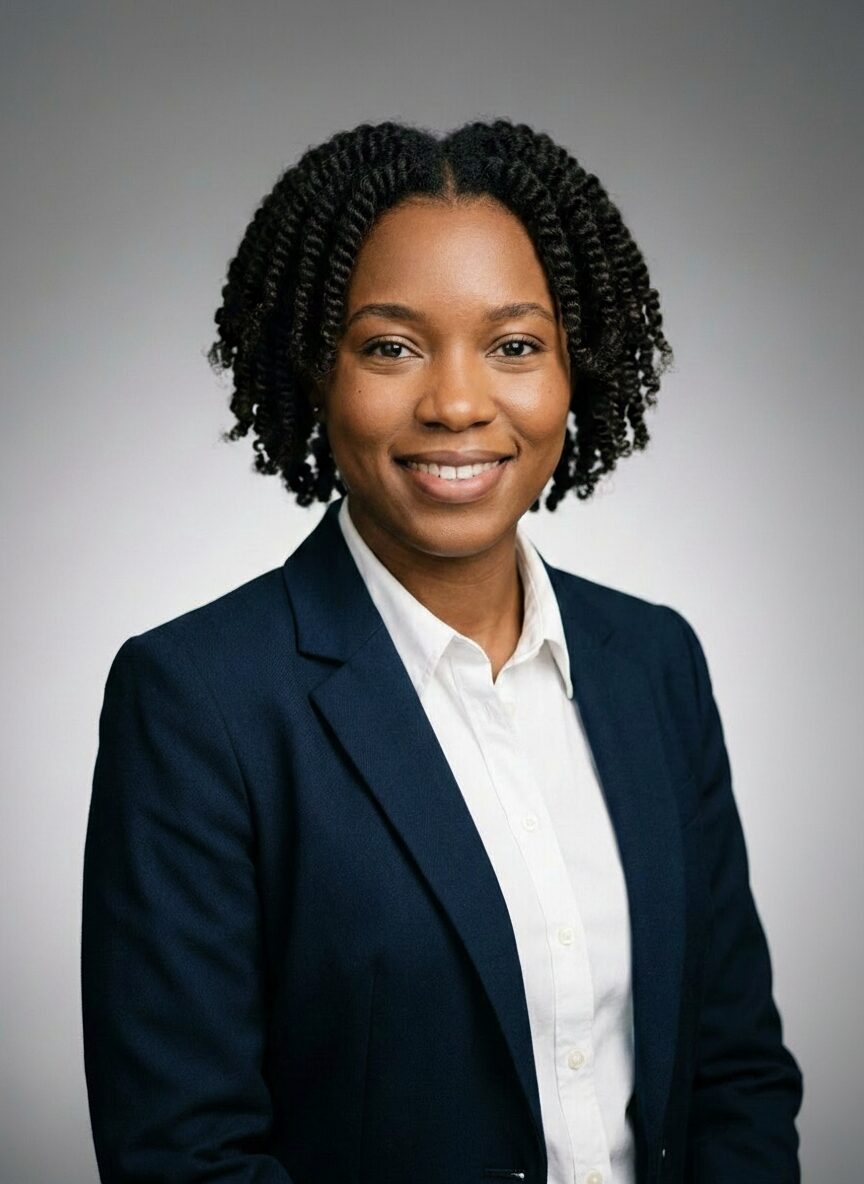
Corporate Studio
Clean studio lighting with neutral backdrop and executive posture.
Upload a few photos, choose your look, and review photographer-guided headshots designed for LinkedIn, websites, CVs, and business profiles.
Review your preview before you pay.
Show up with a polished, current headshot instead of an old crop or no photo at all.
Look credible across proposals, websites, speaking profiles, and client-facing material.
Get a professional portrait fast without planning a studio session around a busy calendar.
Most AI portrait tools treat a headshot like generic image generation. Portraix is different: it is built by a commercial photographer trying to recreate the pace, direction, and outcome of a real session in a simpler digital workflow.
Professional lighting and framing logic, not random portrait prompts.
A free preview flow so you can judge quality before paying.
Business-focused styles that fit LinkedIn, company pages, and speaking bios.
These are built for the kinds of portraits people actually use in business settings, not novelty avatars.
Clean studio lighting with neutral backdrop and executive posture.

Modern office setting with natural window light and confident stance.

Golden-hour urban background with polished business casual framing.

Magazine cover framing with editorial lighting and subtle drama.
Better input improves likeness. Use up to 10 photos of yourself with clear light, one person in frame, and a natural expression.
Choose clothing you would actually wear for your LinkedIn, company page, or meetings.
More than one good photo helps the system preserve your features and expressions more consistently.
A few common questions from people updating their business profile photo.
Use 1 to 10 clear photos of yourself, ideally in natural light, with your face fully visible. If you want a genuine smiling headshot, showing your teeth helps.
Yes. Portraix portraits are designed for professional use like LinkedIn, websites, speaking pages, CVs, and company profiles.
Portraix is built around the psychology and standards of a real photo shoot, with a photographer shaping the lighting, framing, and styling logic behind the results.
Not every professional context demands a high-quality headshot, but several do. Here are the situations where the quality of your portrait has the most impact.
Recruiters and hiring managers form impressions in seconds. A professional headshot signals that you take your career seriously and understand workplace norms. In competitive markets, a polished photo can be the difference between a profile that gets clicked and one that gets skipped.
If clients see your photo before they meet you, whether on a proposal, a website, or a LinkedIn profile, the quality of that image shapes their expectations. A professional portrait builds trust before you have had a single conversation.
Conference organisers, journalists, and event planners often request a headshot for promotional materials. A high-quality image that looks credible when displayed at larger sizes is essential for these contexts.
Team pages are often the most-visited section of a company website after the homepage. Consistent, professional headshots across the team communicate organisational competence and attention to detail.
Many professionals wonder whether they can simply use a well-taken smartphone photo or a cropped image from a social event. The short answer: it depends on the context, but in most professional settings, a dedicated headshot is worth the effort.
A headshot created specifically for professional use gives you control over the message it sends. You can choose clothing that fits your role and industry, ensure the lighting is flattering, and select a background that does not distract from your face. The result is an image that works across every platform and context without caveats.
In creative industries, startup environments, or roles where personality is a key part of the value proposition, a more casual photo can be effective. The key requirements still apply: good light, clear focus, your face visible, and a background that does not distract. A candid photo can work, but "candid" does not mean "low effort."
AI headshots bridge the gap between casual snapshots and traditional studio portraits. They deliver professional-quality results from everyday photos, giving you the benefit of a dedicated headshot without the cost and logistics of a studio shoot. For most professional use cases, the result is indistinguishable from a traditionally photographed portrait at a fraction of the cost and time.
A headshot for a law firm partner looks different from one for a tech startup founder. Look at the headshots of people in roles similar to yours at companies you respect. Use those as a reference for clothing, expression, and formality level.
Update your headshot every 12 to 18 months, or whenever your appearance changes significantly. An outdated photo creates an immediate trust gap when people meet you in person. The small effort of updating your portrait pays off every time someone forms a first impression.
Use the same headshot across LinkedIn, your company website, your email signature, and any other professional platform where your photo appears. Consistency builds recognition and trust. People who see you in multiple places will register the familiar image and associate it with your professional identity.
Start with a free preview and see whether the result feels like a real professional shoot before you commit.